
HADITH COLLECTION FOR IPHONE & ANDROID
Keep hadith notes, bookmarks and reflections together
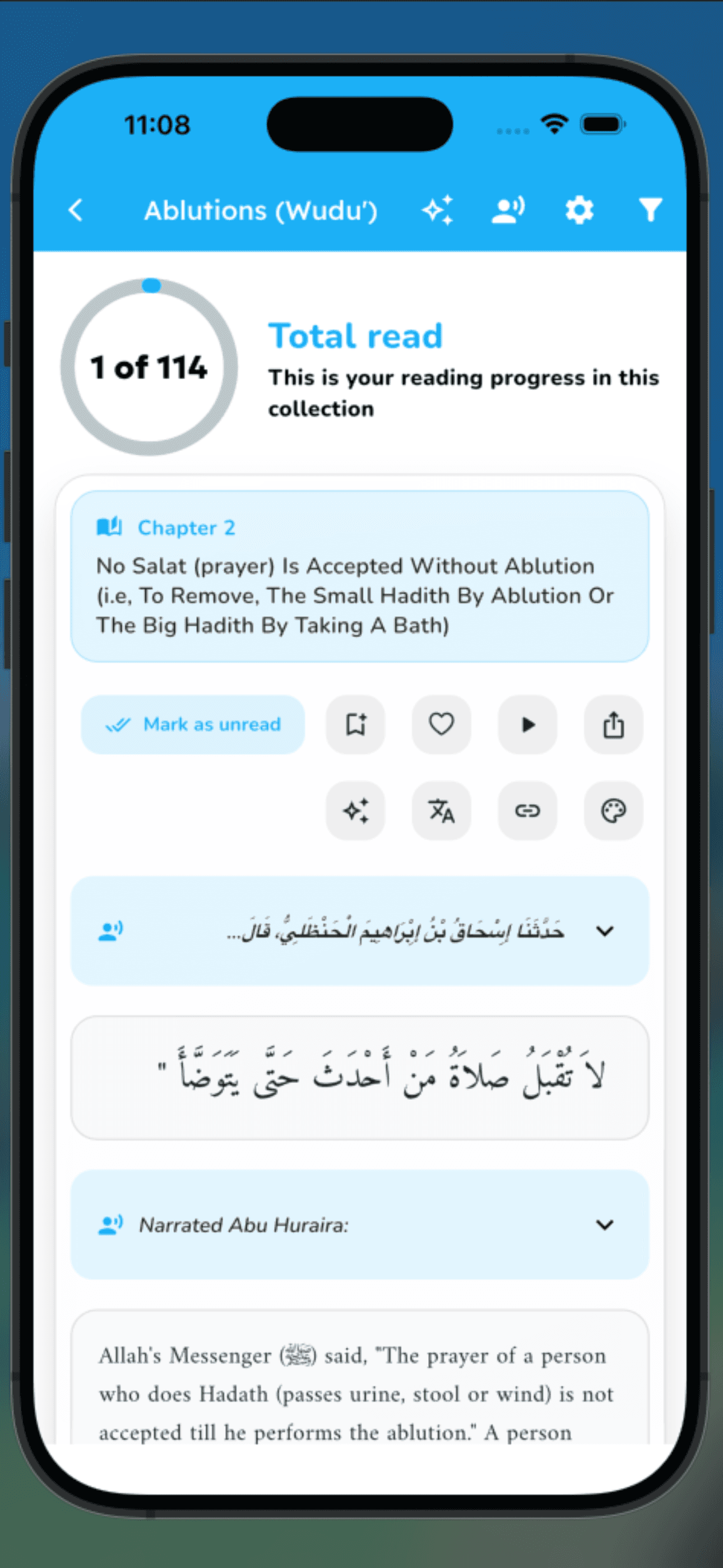
Save favorites, organize personal collections and write study notes with Arabic, English and source references close at hand.
A useful note leads back to its source. Save favorites, organize personal collections, add notes and mark narrations as read. Keep your study separate from the quoted narration and translation.
Save a passage with its context
Open the full narration and reference first. Give personal collections a purpose: a reading plan, lesson questions or passages to revisit. The web reader copies a reference and link; the mobile app provides the fuller notes workflow.
Write notes that make sense later
Record why you saved the passage, your question and where to study it further. Attribute a teacher’s explanation. Keep each reference when comparing similar wording across collections and editions.
Return to your reading
Favorites help you find a passage, collections give structure and read/unread controls support progress. Optional account and synchronization features need a connection when exchanging data, separately from local reading.
Get started
- Open the full narration and its source reference in the mobile app.
- Save it as a favorite or add it to a personal collection.
- Write your reflection separately from the quotation and keep the full reference with it.
- Return to the saved passage and use read/unread tracking to continue your study.
Frequently asked questions
Can I save hadith and personal notes?
Yes. The mobile app supports favorites, personal collections, notes and read/unread tracking. Personal reflections are separate from source text.
Which collections and languages are included?
Fourteen collections include Bukhari, Muslim, the Sunan collections and Nawawi. Source quotations are Arabic and available English. Interface translations do not imply narration translations in all ten languages.
Is the app free?
The app is free to download. Some advanced tools, including text-to-speech, require premium access. Current options and prices appear in the app and your store account.
Continue exploring
Keep reading on iPhone or Android
Read Arabic and English, save hadith, add personal notes and build a daily habit. Free download with optional premium features.
Free download · Optional in-app purchases
AI tools, cloud services and premium text-to-speech need internet. Text-to-speech also requires premium access.